There’s a meme I keep seeing online, where a conversation between a developer and a non-developer goes something like this. The non-developer says “hey, you don’t need developers any more, I’ve vibe coded a website and got it online, no problem”. The developer says “cool, can I see it?” And the next message is a link that says localhost, with some odd port number after it.
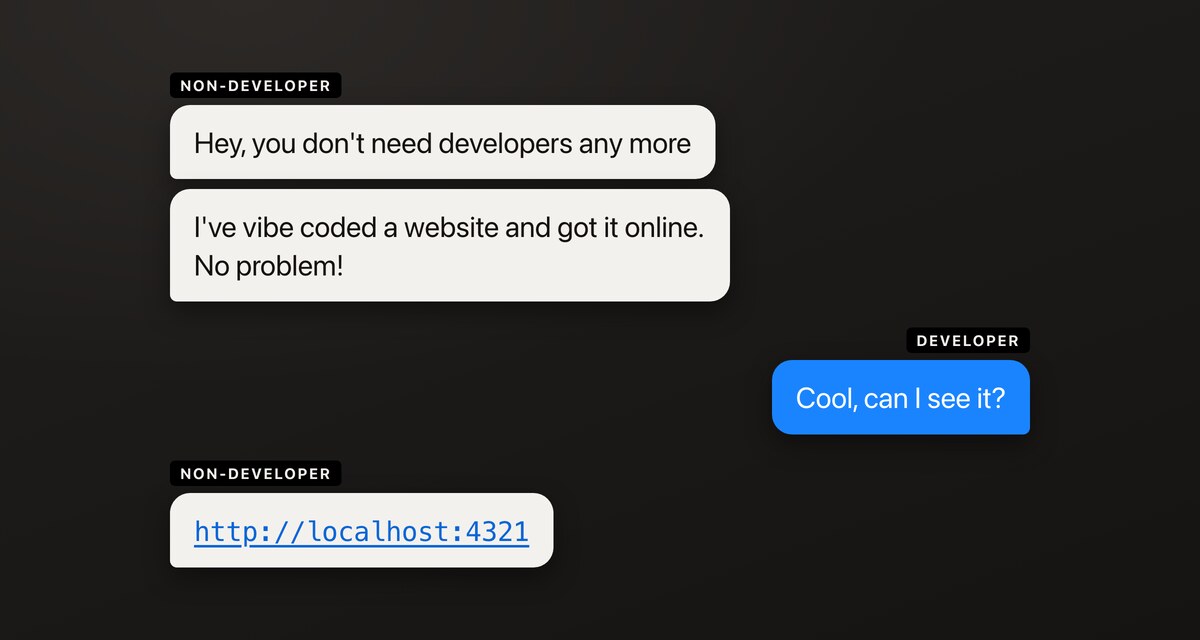
For anyone who hasn’t come across it, localhost means it’s just running on your own computer. The stage after you’ve vibe coded your website is actually sending it to some hosting, if that wasn’t already integrated with whatever you built it in.
Spacefast is one of those services. It’s built by Automattic, the people behind WordPress.com, WordPress VIP, WooCommerce, Beeper and a number of other things, and the promise is that you can work with your agent, vibe code yourself a static website, and push it onto the internet on a publicly accessible URL within a few minutes.
So I thought I’d try it out, and film the whole thing for the new channel while I was at it.
Have a look at the prompt before you hand it over
You’ll need a Spacefast account and you need to be logged in. A space, by the way, is basically a web hosting account – a self-contained project, website or web app.
From the homepage there’s a “get started with AI” route, which is obviously the whole premise of a system like this: you do everything from your agent. It offers you a prompt to copy and paste in. I use Claude, but it should work from other agents.
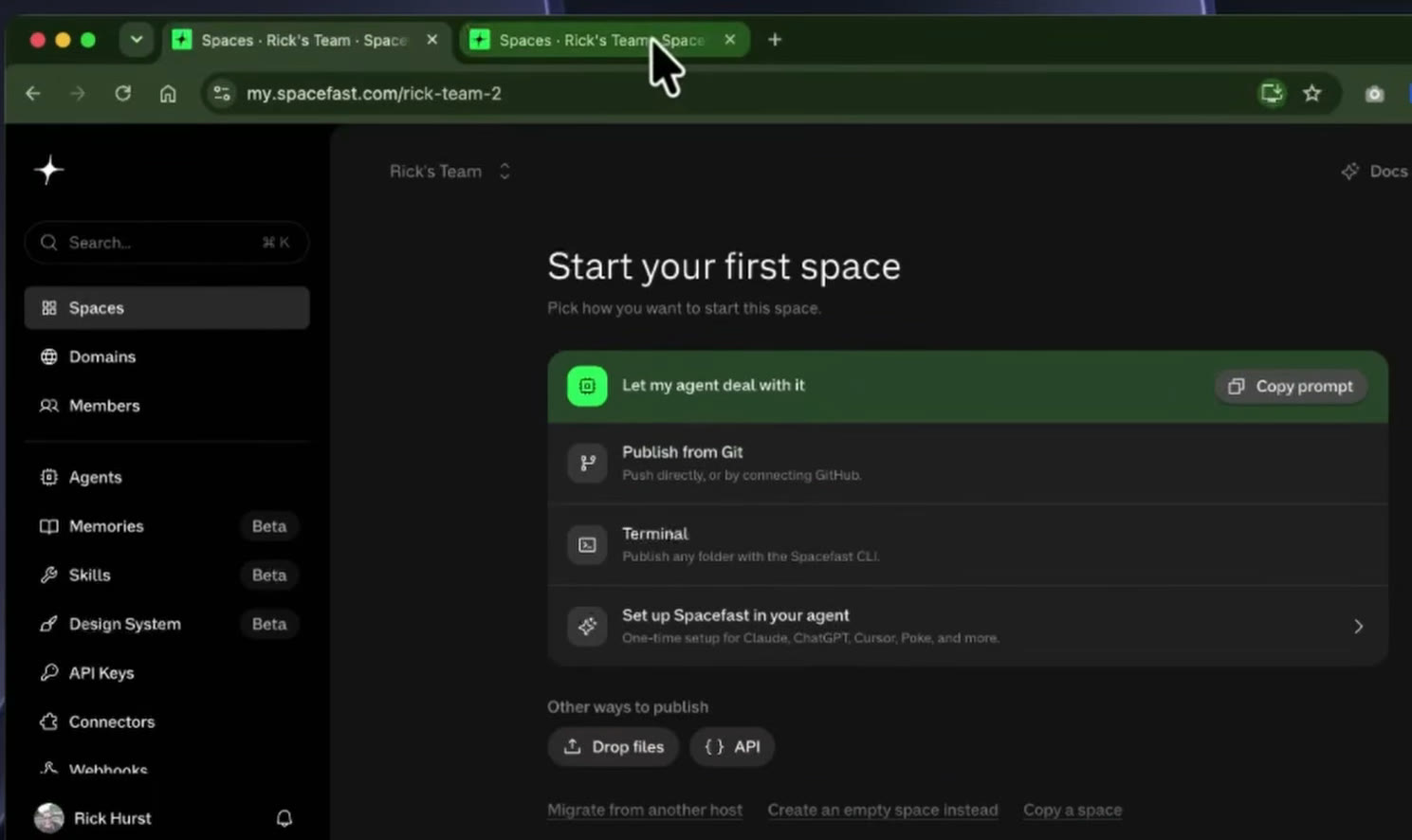
The prompt is along the lines of “fetch this URL and follow the task inside, I authorize you to use this handoff”. Before you ever follow any instruction like that, you should have a look and see what’s actually in it.
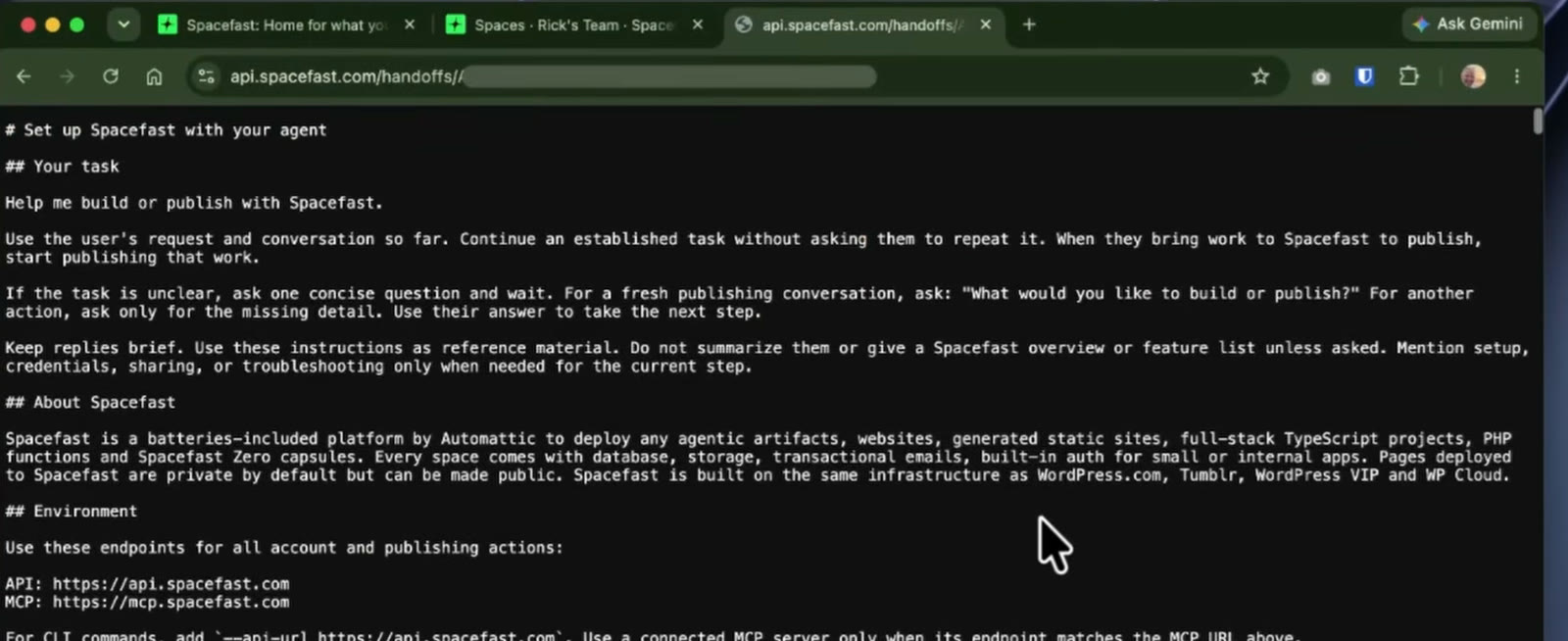
It turns out to be instructions for your agent to follow, containing connection details and all the setup things you might need running on your machine to make this work – installing the Spacefast CLI, how to authorise Claude to work on your behalf, that kind of thing. I’d already run it, so I skipped ahead and just asked for a site.
Nine minutes to a website
I asked for a static website for my new YouTube channel, Tech in the Shed, and made a note of the time to see how quickly we could get something up there. I also gave it the virtual background I use on Zoom calls to use as a photo – and then realised I hadn’t actually said use Spacefast, so Claude would have cheerfully built me a static site on my own machine and we’d have been right back at the localhost meme.
In real time it took about 9 minutes. If this was one of those “you can have a site live in 30 seconds” kind of videos I wouldn’t have added any images to go through first, and it was taking longer because it was making an effort to use the photos and assets I’d given it. HTML files, responsive image variants, some custom fonts, all appearing in my local folder as it went.
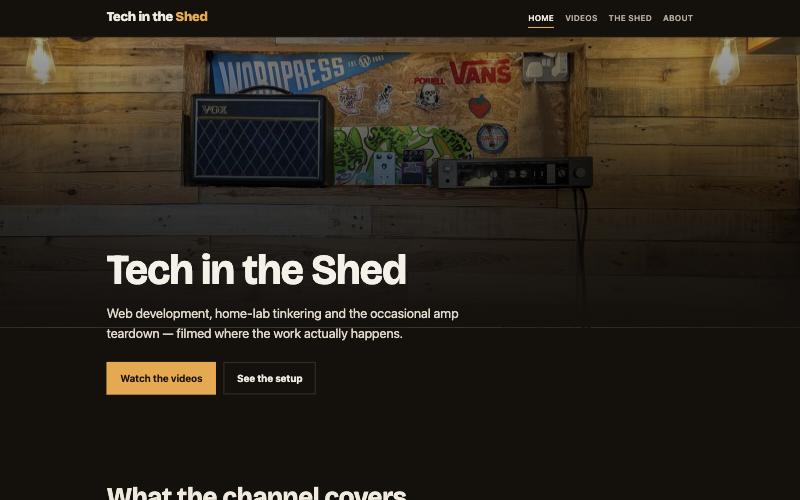
This was the site Claude produced, with very little brief – it’s not public at time of writing, but I might actually use it.
So what has it actually done?
For a non-developer, that’s a really easy way to just get a website live. It’s a static site, there’s no CMS running behind it, it’s just HTML files.
As a web developer, I want to know exactly what it’s done, and how I can edit it later – whether that’s with Claude, or opening up VS Code like a caveman and typing out code by hand.
The files are all there in the dashboard, and you can edit the HTML straight from it.
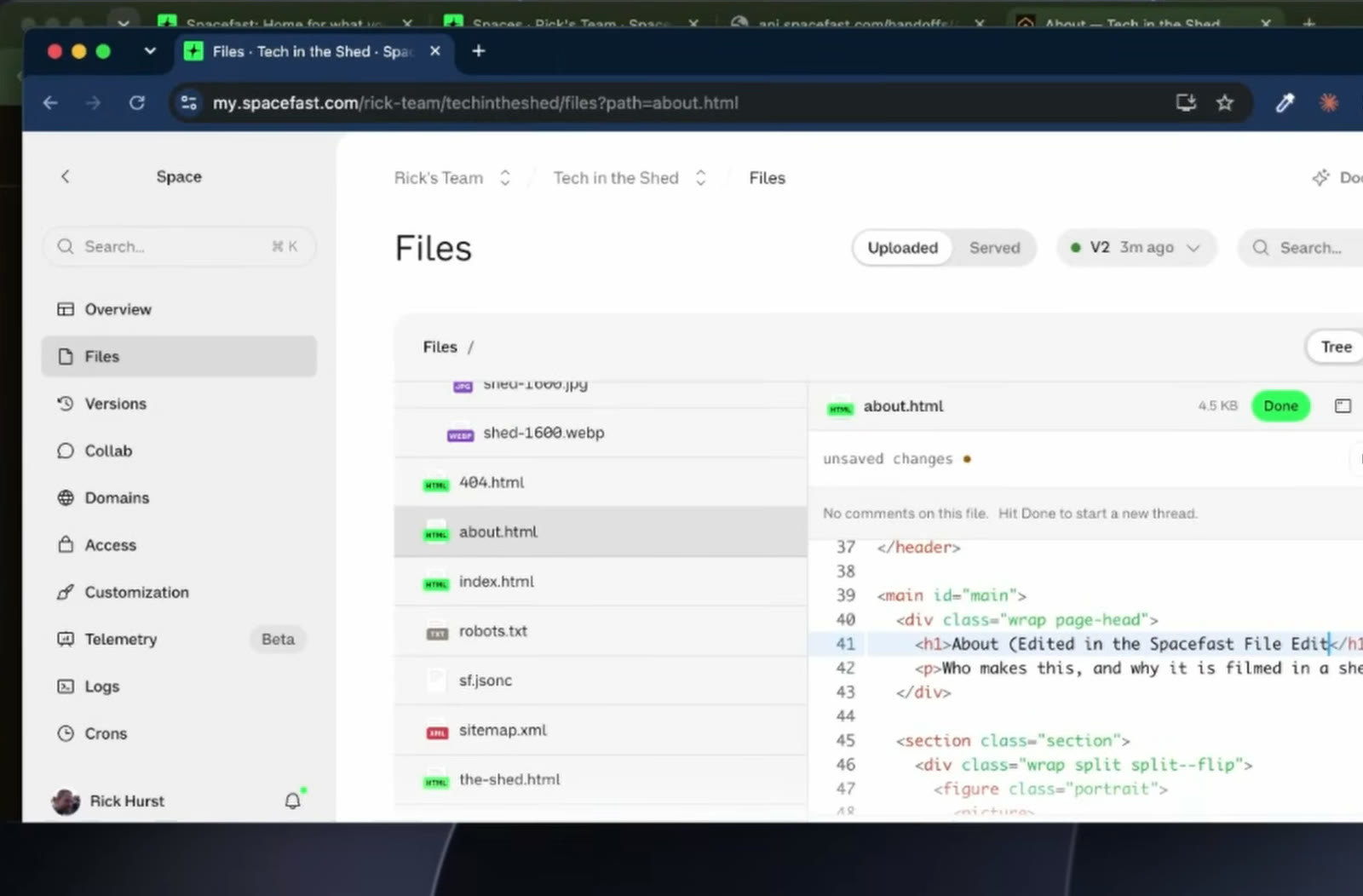
The first thing I noticed was the URL for the about page, which is simply /about. I’d expect that to say about.html on a simple static site, so Spacefast clearly has some kind of framework for serving static sites that lets you skip that part.
I did a quick edit in the dashboard to see what happened, and it didn’t go live straight away. That’s because there’s a review step – you publish the change, and only then does it appear.
Where’s the source control?
There didn’t seem to be any source control set up by default, which is the bit I actually care about. Then I found builds, which told me that Spacefast has its own git repo. That’s useful. Push the folder to the Spacefast git remote, and every push becomes a run.
So I created a repo locally, added my space as a remote (off screen, as I wasn’t sure whether there were any secrets in there) and pushed.
And promptly broke the site. When I initialised the repo I specified the root of the project, which contains a site folder, which is where the actual files live – so the push put everything one level too deep. I untangled it so that it publishes from the site folder, pushed again, and the site came back.
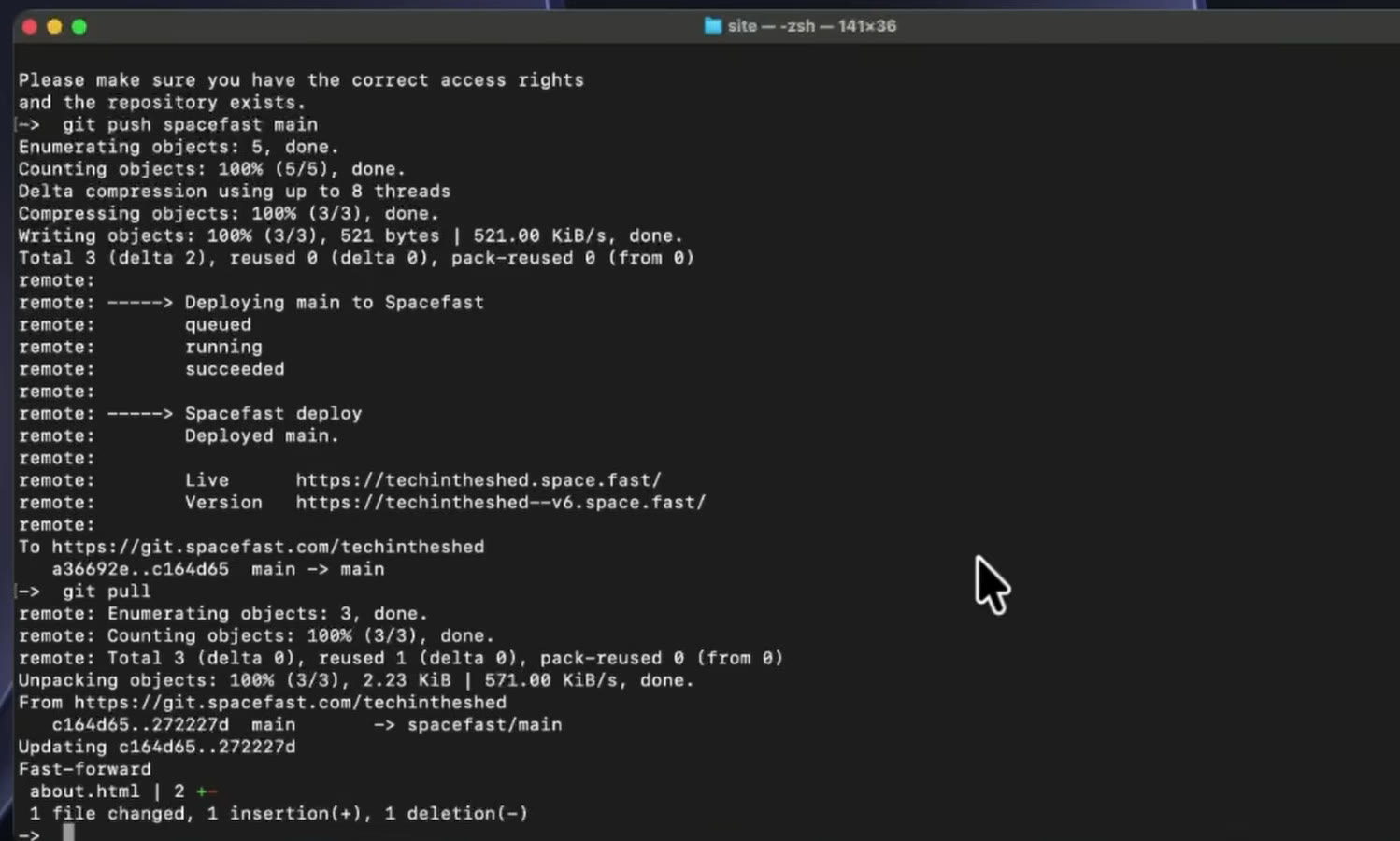
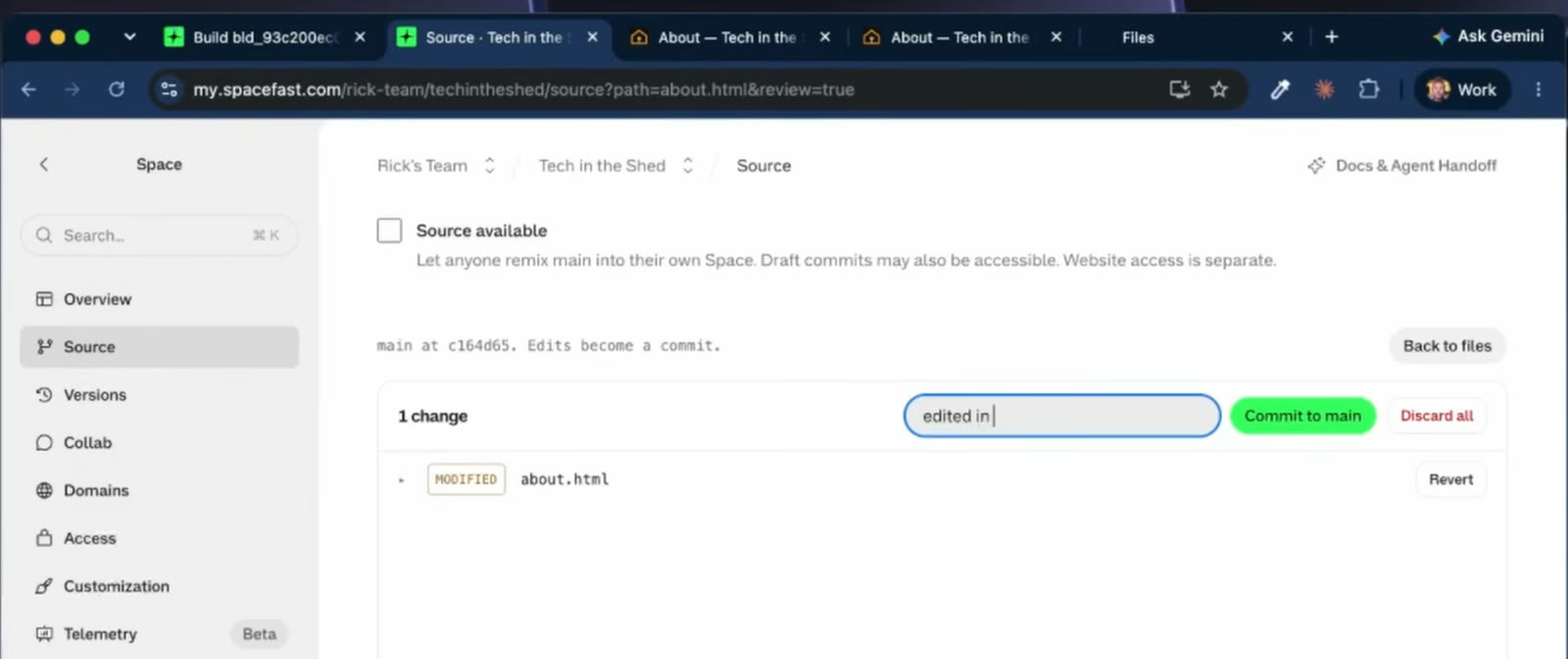
Once git is in the mix, something nice happens in the dashboard: the editor gains a “describe the change” box that wasn’t there before, and committing to main from there triggers a build. A git pull locally brings that same change down, so the dashboard and my local copy stay in sync. That’s essentially a commit with a web form in front of it, and it’s how I’d want this to work.
There’s also the Spacefast CLI if you’d rather publish that way, and you can connect GitHub instead of using the Spacefast repo. I’d already set this one up on the Spacefast side, and I suspect attaching GitHub as well might get a bit thorny, so you probably want to make a decision about which one you’re going to use and stick to it.
The one thing worth knowing: publishing directly gets your change live without a commit, and the repo stays where it was. A later build from git would then bring the old site back. Fairly obviously a silly thing to do, once you’ve decided to go with source control.
This is a slow way to manage content
At some point during all of this – committing an edit to an about page, waiting for a build – you start to realise why you might just have a content management system you can log into and make the change in. No file changes, no passing files back and forth, no keeping them under source control. For a small site, a CMS is still a much better idea in my opinion.
But then I would say that.
Takeaways
- It lives up to the hype. You can vibe code yourself a static site in a few minutes and push it live, and you can ask your agent to modify it later.
- If that’s as far as it needs to go for you, that’s genuinely as far as it needs to go.
- If you’re a developer, get it under source control from that point on – you’ll want it the day you need to migrate hosts, or someone decides to move it to a different technology.
- Pick git or direct publishing, not both.
- There’s no rollback button that I could find, but with a static site under git you don’t need one. No database migrations to worry about, just set the code back to the previous version.
In the next video I’ll have a look at what you can do with Spacefast for dynamic sites – there’s a database and a kind of web app framework in there, so that’s where this goes next.