Category: wordpress

  • Thoughts on the CMS vs vibe-coded site debate

    Thoughts on the CMS vs vibe-coded site debate

    Every other post on LinkedIn these days seems to be along the lines of “WordPress is dead – I vibe-coded a website in 10 minutes”. Rather than actually respond to any of those engagement-bait posts, I wanted to write about it.

    Are we really saying “Vibe-coding”?

    Firstly, I promise not to use the phrase “vibe-coding” again. “agent-assisted” and “agentic-coding” are more descriptive, accurate and less buzz-wordy. But the debate can’t be reduced to simply CMS vs agentic coding, because nearly everything is built with agent assistance right now, while token costs are heavily subsidised, and we collectively realise that almost everything is quicker and easier if you don’t have to physically type out lines of code.

    Agent-assistance can make light and speedy work of just about any web-development task. It can be used for building a static website, building something using a framework that uses static markdown files as a data store, building a theme or plugin for WordPress, or designing or building an entire CMS-driven site (trying not to mention WordPress twice in the same sentence, here, but you know I’m talking about WordPress).

    It’s more a debate about using a CMS vs not using a CMS

    So it comes back to the debate about whether you need a CMS, or would a static website suffice. This isn’t a new debate by any means. I built and published my first static website in 1998 and even then was trying to work out how to use a CGI script and a form to enable the site to be updated by a non-technical user. In the end I left that one static, as the hosting got complicated and expensive if it did anything more than serve static HTML files. The site also only had a handful of pages, so suited a static site (I’ll come back to that).

    In my early freelance days I had a customer ask me to teach them how to use Dreamweaver, so they could update their own content, WYSIWYG-style but also to redesign their own site, or at least make layout changes and add new templates. In the early 00’s Macromedia launched different variations of Dreamweaver that allowed remote collaboration. The need for website content management was there, but there was no clear path for what form that would take.

    At my first agency job, we had clients wanting to update their site content themselves, we would take an existing static website, convert the HTML files to classic asp files then add asp tags to render text content pulled from a Microsoft Access database (I know! It was last millennium). Then we added some password-protected forms to update the database, and we called it a “Content Admin System”.

    So now we had taken a perfectly scalable, secure and fast static HTML site and made it slower, less secure and less capable of handling heavy traffic. We solved some of the issues caused by our terrible architecture decisions by having the “CAS” output a static HTML site which could then be hosted separately, decoupling the admin from the Front-end.

    But the customers were happy, even if they literally never used it and just asked us via phone or email to make the content changes for them.

    Later versions of that architecture were used for some fairly “large” sites – multilingual corporate websites, with multiple editors writing and maintaining site content from different locations around the world, a built-in search on the site content, job listings, job application forms, and at that point, this couldn’t have been a static website, even if the front-end of the site was served as mostly static content.

    The debate wasn’t whether should we use a CMS, but should we really be using our own CMS

    As most agencies were now building their own Content Management Systems – sometimes more than one codebase existing within the same agency – proprietary and open source systems started to emerge. I’ve forgotten the names of the proprietary systems, because the licence fees were usually way too high and unsustainable for the kind of projects we were doing.

    Open source contenders started to appear, WordPress of course, which was very much intended as a blogging tool at that point, though could be used to build any kind of website. I also spent several years working exclusively with Plone – something that open-source, with a fantastic community behind it, and very much a CMS rather than a blogging tool.

    In later years, coming into an agency as a freelancer to find that they were running five different systems, plus maintaining some of their self-built creations with zero documentation from two years previously, where the developers who built them had long-ago moved on.

    For my own journey, standardising on WordPress was partly about consistency – I had used it over the years for several projects, but it was when I joined an agency as lead developer and they were only running two different systems, one of them being WordPress with ACF, which ticked all of the boxes for what I needed out of a CMS:

    1. Generally – an open-source Content Management System, that lives on a server, with all the usual features you’d expect – user management, roles and capabilities, publishing states, search, a theming system, a plugin system, an active community improving it.
    2. Content Schema for pages, that persists to the filesystem so it can be version controlled (provided by ACF, not natively in WordPress – there’s a future post in my head about that)

    By standardising on WordPress, I was also able to focus on building expertise in running it optimally, rather then jumping from one system to another in search of shiny things, but only scratching the surface.

    OK thanks for the history lesson, but why shouldn’t I use an agent to build and maintain a static website?

    There’s some cases where a static website makes perfect sense – but I’d ask two main questions before deciding to go that route:

    1. Who is going to maintain and update it (read as “who is going to be prompting an agent to maintain it”) – are they happy with the secrets config needed for the hosting, so they don’t leak them? Are they happy with where the static files are stored on their computer? Do they know how to preview markdown files so they can see what the formatting looks like before publishing? Are they happy to run a local server on their machine to preview changes before publishing? Will they need to share editing duties with other people?
    2. How big is the site? A few pages? Hundreds of pages? Hundreds of Thousands of pages? Millions maybe? And does the site need to be multilingual so many different versions of each of those pages also need to exist?
    3. Does the website need dynamic features like a shopping cart, Job application handling, a liveblog? Static pages can live alongside dynamic features of course.

    If none of the points above in (1) seem like an issue, it may be that you are a developer, or at least developer-minded. It doesn’t matter whether you have an agent loaded with free Tokens to handle all of those for you – you still need to know what to ask. I’m not going to put a number on (2), but there would be a point where building out a large number of pages each time you change a template, or sharing a GitHub repo full of markdown files to someone who has never used GitHub before and asking them to edit something, where you might think “am I doing this right”?

    For the record I love static sites – the security, speed, efficiency and lack of complications. I’ve experimented over the years with different approaches, including the dynamic website with static content source” approach, but if I decided I wanted a static site right now, I’d probably have an agent run up a local WordPress site, and then use one of the many WordPress to static generators out there (after asking Claude: “Which one I should use, or should I bake my own?”).

    Takeaways

    • A static site might be the right choice for small sites, maintained by a developer, with or without an agent.
    • A good open-source CMS like WordPress is the better choice for most websites, and can be built with or without agent assistance.
    • Don’t repeat the mistakes of the late 90’s and early 00’s by building your own CMS, just because agentic coding makes it easy.
    • Actually, building you own CMS is fun as a learning exercise, but don’t make the mistake of using your own CMS, or inflicting it on someone else 🙂
  • AI WordPress Developer Tools and Workflow Course

    AI WordPress Developer Tools and Workflow Course

    I’ve avoided “weighing in” on the subject of coding with AI, but after seeing people either dismiss AI tooling entirely or throw themselves at it without any structure, it felt appropriate to create a course to help. There’s a useful, fairly disciplined way to bring agents into a WordPress workflow, and I wanted to detail what that actually looks like in practice, rather than leaving people to figure it out through trial and error (or worse, “vibes”).

    At Automattic we are lucky to have access to some of the best WordPress developers in the world and understand how “agentic development” can be incorporated into a development workflow to save time and improve quality. Personally, the part I like the most is that an AI Agent doesn’t tire in the same way a human would, and so, with appropriate prompting, is actually less likely to miss details that a human might. At the same time, human review and accountability is also a vital part of the loop.

    If that sounds like your kind of rabbit hole, the course is live now: AI WordPress Developer Tools and Workflow.

    What’s in it

    The course is in three parts.

    The first part is just getting everyone on the same page – what an LLM actually is, where you’ll bump into one in your day-to-day work, what you should think twice about before sending real data off to a hosted API, and (importantly) when you genuinely don’t need an LLM at all and a plain script will do the job better.

    The second part is probably the most useful for a typical working developer. It’s hands-on with Claude Code – the terminal agent, the desktop app, MCP for hooking Claude up to other systems, the Claude Code extension in your IDE, even the Chrome extension for working directly in WP Admin. There’s also a bit on Skills, and on building your own MCP servers. Rather than a bunch of disconnected demos, it all follows one example: a local WordPress site and a plugin that grows lesson by lesson.

    The third part zooms out from “you and an agent on your laptop” to “your team’s actual repo and CI pipeline.” It covers planning AI-assisted work before any code gets written, a GitHub issue-to-pull-request workflow, what makes an issue something an agent can actually act on usefully, and how to keep the whole thing reviewable instead of just trusting the agent blindly. This part borrows heavily from a workflow originally built at Pew Research Center and opened up for anyone to use, which I think is a genuinely good pattern worth knowing about even outside of WordPress.

    As with all courses on VIP Learn, it’s free, though sign-up is required.

  • Free Advanced Gutenberg Course on VIP Learn

    Free Advanced Gutenberg Course on VIP Learn

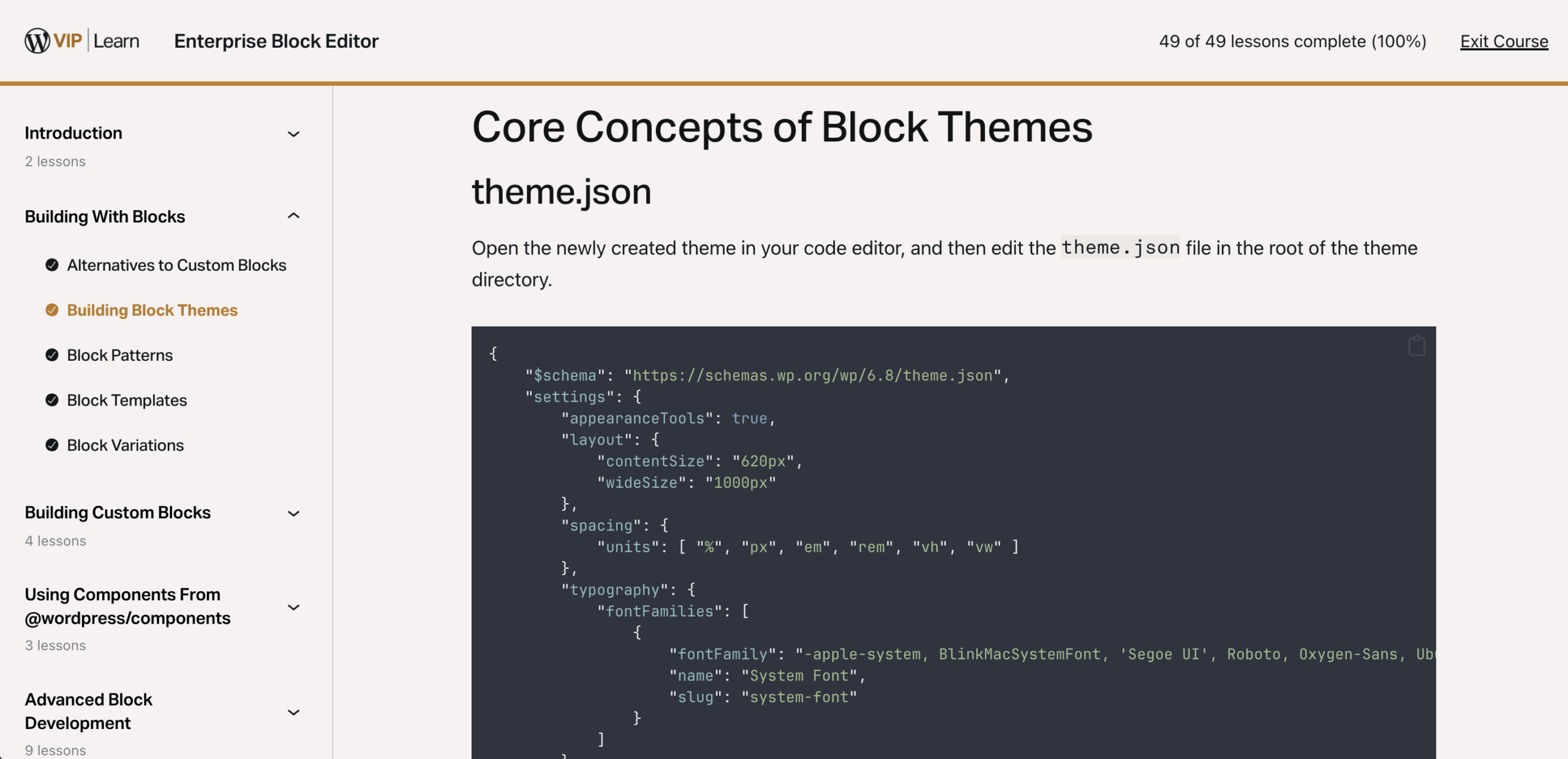
    As a developer deeply interested in the evolution of WordPress, I’m excited to share some insights into a new educational resource now available for free on VIP Learn: the Enterprise Block Editor course.

    This course, which focuses on Gutenberg and its enterprise applications, is designed for development teams working on complex publishing experiences. I had the opportunity to contribute to the course’s development through editorial guidance and curriculum refinement, ensuring it speaks directly to the challenges faced by large-scale WordPress implementations.

    Enterprise Block Editor

    The course is a comprehensive guide to leveraging Gutenberg in enterprise environments. Key topics include:

    • Creating and customizing block themes for robust, scalable projects
    • Implementing efficient workflows with patterns, templates, and editor customizations
    • Optimizing editor performance for large-scale sites
    • Using the new Interactivity API to create dynamic, responsive content
    • Integrating with headless setups and third-party systems

    This course is not only technically rich but also highly practical, offering developers the insights they need to tailor Gutenberg for enterprise use cases.

    Final Thoughts

    Contributing to the Enterprise Block Editor course has been incredibly rewarding. It’s exciting to see how far Gutenberg has come and even more exciting to help others harness its full potential.

    Best of all, this course is completely free. Check it out at VIP Learn and see how it can help your team build better, faster, and more scalable WordPress experiences.

  • Building Enterprise WordPress Courses: A Year in the Making

    Building Enterprise WordPress Courses: A Year in the Making

    Following four years of helping WordPress VIP customers scaling their Enterprise WordPress sites and applications, I made a move to the WordPress VIP Learning and Credentialling team. Over the past year I’ve been on an incredible journey developing a series of Enterprise WordPress Courses, and I’m thrilled to share the results with you all. It’s been a rollercoaster of coding, debugging, and, yes, countless cups of coffee, but seeing these courses come to life has made it all worthwhile.

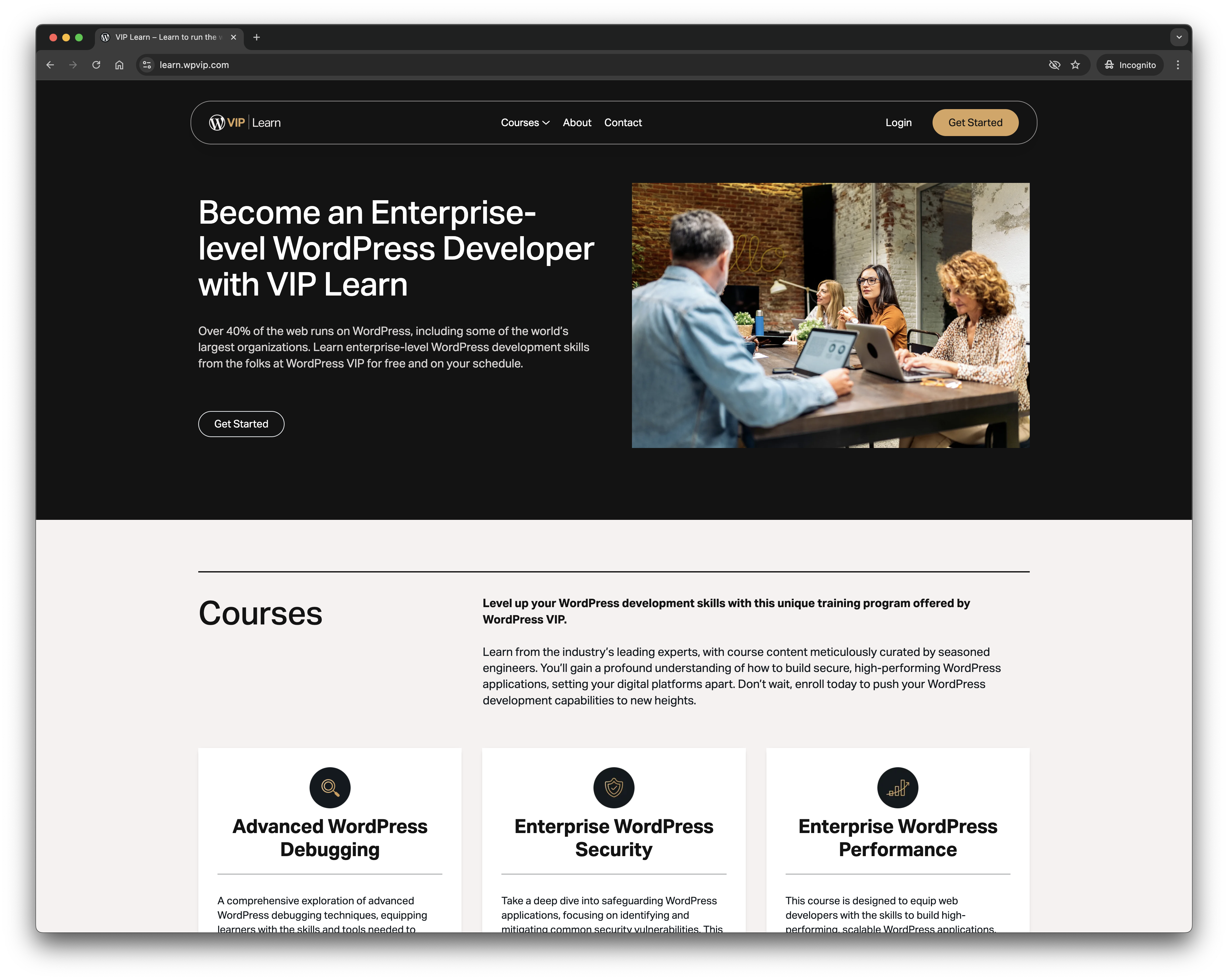
    The idea sparked from a simple realization: while WordPress powers a significant portion of the web, there’s a gap when it comes to enterprise-level training. Many developers are familiar with WordPress basics, but scaling that knowledge to meet the demands of large organizations requires a different skill set. That’s where VIP Learn comes into play—a free, enterprise-focused WordPress developer training program designed to bridge this gap, based on the skills and experience of the amazing developers at WordPress VIP and Automattic.

    Diving into the course creation, I wanted to tackle the challenges that enterprise developers face head-on. The first course, Advanced WordPress Debugging, is all about equipping developers with the tools and mindset to troubleshoot complex issues. From mastering tools like Query Monitor and Xdebug to developing a systematic debugging approach, this course aims to turn those hair-pulling bugs into manageable puzzles.

    Security is another beast in the enterprise world. With the Enterprise WordPress Security course, the focus is on identifying and mitigating common vulnerabilities. We delve into the OWASP Top 10, explore secure coding practices, and emphasize the importance of regular security audits. After all, a secure WordPress site isn’t just a nice-to-have; it’s a necessity.

    Performance can make or break a user’s experience, especially at scale. The Enterprise WordPress Performance course is designed to help developers build high-performing, scalable applications. We cover everything from efficient database management to caching strategies, ensuring that your site remains snappy even under heavy load.

    Understanding the architecture you’re working with is crucial. That’s why the WordPress VIP Architecture and Tooling course provides an in-depth look at the WordPress VIP platform. We explore its architecture, workflows, and the tools available to developers, aiming to streamline development processes and enhance site performance.

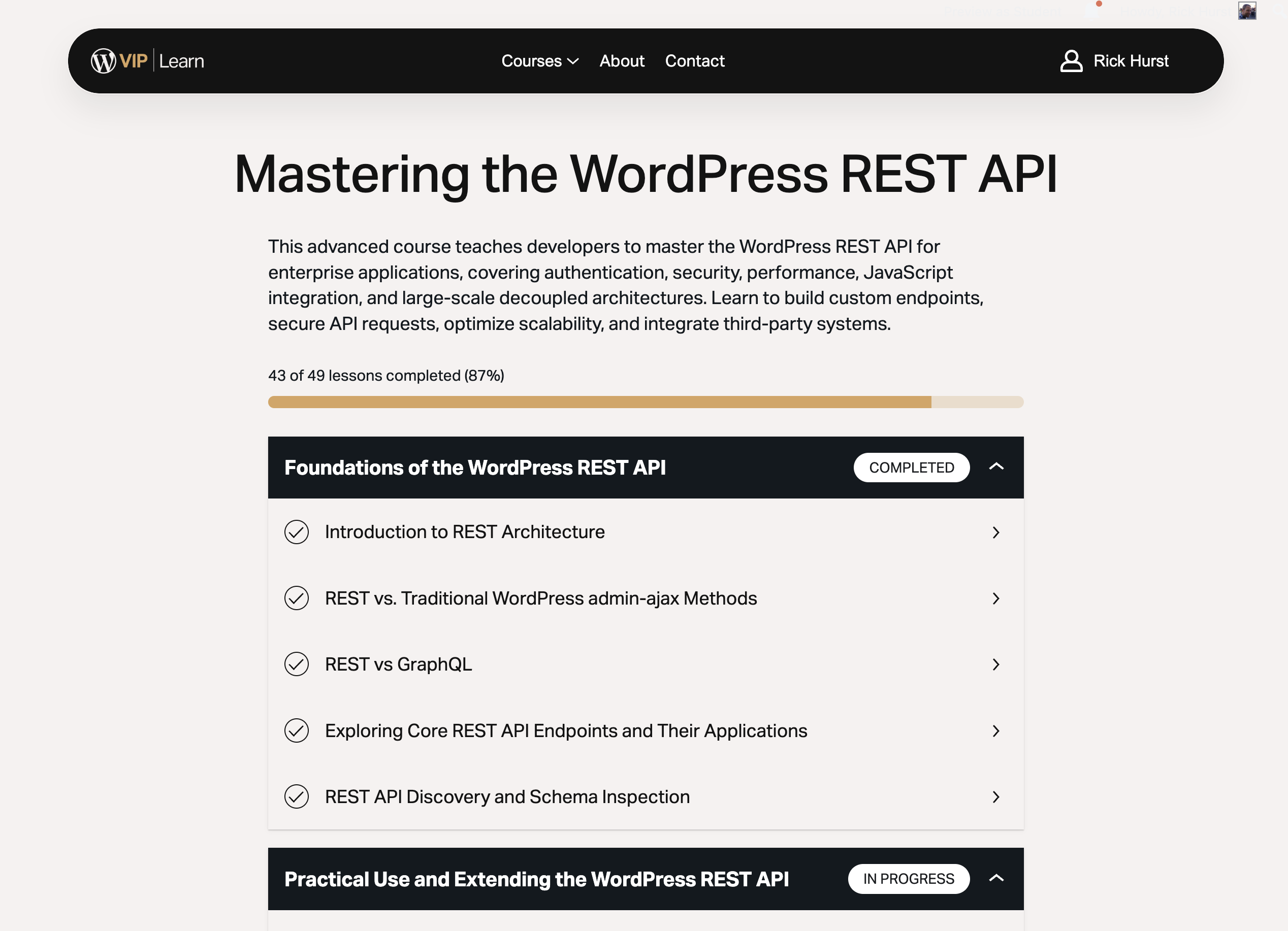
    And we’re not done yet. There are two more courses on the horizon that I’m really excited about. The first is “Mastering the WordPress REST API,” which will take a deep dive into how to build robust, scalable APIs on top of WordPress—perfect for developers building headless applications or integrating with other services. The second is “Enterprise Block Editor,” which focuses on Gutenberg block development tailored for enterprise use cases, with custom blocks, advanced workflows, and best practices for large teams.

    This suite of courses forms part of the learning material for an Enterprise WordPress Credential that we have in development Stay tuned!

    Reflecting on this journey, it’s been incredibly rewarding to contribute to the WordPress community in this way. The feedback from developers who’ve taken these courses has been overwhelmingly positive, and it’s inspiring to see them apply these skills in real-world scenarios. If you’re looking to elevate your WordPress development game to an enterprise level, I highly recommend checking out VIP Learn. It’s free, self-paced, and packed with insights from industry experts.

    Happy coding!

  • I joined the WordPress VIP team at Automattic!

    I joined the WordPress VIP team at Automattic!

    After working mainly freelance for the past decade or so, I started 2020 with career development on my mind. Freelancing had been going pretty smoothly, but it didn’t feel like it was going anywhere, that I was specialising in being a “jack of all trades” and I couldn’t help but think there was more opportunity out there to develop and find a niche, working within a large organisation, where I could concentrate on developing my software engineering skills rather than running a business. Automattic had been on my radar for years, as an established champion of fully-distributed working and open-source software, but it was relatively recently that I had became aware of WordPress VIP, the enterprise-scale platform run by Automattic. In May 2020 I started full-time as a Developer at WordPress VIP!

    As part of the Customer Success (EMEA) team, I divide my time between Code Reviews of customer code, where aim to help customers make their custom WordPress code efficient and secure, proactively and reactively helping customers with optimising code to remove bottlenecks in database queries and caching, investigating solving tricky long-term bugs and performance issues on customer’s sites, and getting involved in a whole load of different internal projects and initiatives. The Automattic creed encourages, amongst other things, continued learning and development, and there’s huge potential for branching out here.

    Enterprise-scale WordPress? 

    I’ll address this first – I know there will be skeptics out there (including amongst my own friends and ex-colleagues!), but with the right set-up, considerations and infrastructure, there is absolutely no reason why WordPress can’t be run at scale, and if anyone are experts in this, it’s the company that runs wordpress.com. The WordPress codebase is incredibly mature, backward compatible and extremely well tested, powering a significant percentage of all websites (I’ll refrain from quoting this percentage, as the number is both disputed and constantly growing!). WordPress VIP take that a step further by running a (private) cloud-based auto-scaling infrastructure and application support tailored specifically to the needs of high-traffic, enterprise-scale WordPress sites.

    During the US elections in November 2020 I got to witness first-hand, amazing amounts of traffic on some of the sites running on VIP Go. Watching the Grafana charts for the back-end of some of these sites was almost exciting as the charts being shown on the sites themselves! Here’s a write-up about FiveThirtyEight – a WordPress site and liveblog hosted on WordPress VIP which was reliably serving WordPress at the rate of 132,000 requests per second during election night.

    Whilst historically I haven’t always been a cheerleader for WordPress, it became my go-to CMS (yes, CMS, not just blogging software – that’s probably another blog post in itself!) over the last decade, despite dabbling with other open-source CMS and building a few of my own in the past. There’s a fair amount of anti-PHP sentiment amongst some of my peers, usually based on their perceptions of PHP in the early years, before it became the fully-fledged programming language it is today. I don’t share this skepticism, so have now gone all-in, on both PHP and WordPress! Even on dedicated infrastructure, running WordPress at scale (in terms of both traffic and amount of content), requires every aspect of the applications code to be considered, tuned and tweaked for performance and security. This is the stuff that I like doing, and i’m now honoured to be doing it amongst a team of vast experience in this field.

    The hiring process at Automattic

    It all starts by sending in the initial application (mine was by email, but currently it’s via greenhouse). In some way this is the first technical task – I did as much reading as possible about the organisation and advertised position before sending in my initial application to make sure it covered everything relevant I wanted to say about myself and my skills/ experience. Having made it past this stage, next-up was a technical challenge, in my case re-factoring a plugin to improve it’s performance and security, done in my own time. This was followed by a text-based interview in Slack, where we got into some in-depth technical and previous experience chat. I was then invited to start a trial, which is paid, and flexible regarding timescales, to allow me to fit in around on-going work. The trial lasted several weeks in my case, and consisted of more challenges simulating real-world scenarios – code reviews, debugging, advising customers etc. before I was invited for a chat (again via slack) with the WordPress VIP CEO. Finally I received my job offer letter and arranged a date in May to start on-boarding.

    Fully distributed working

    For context – I applied for this before the Covid-19 lockdown occurred in the UK, and at time of writing we are still in lockdown. Many people are now working remotely by necessity and hopefully a large proportion of those people will have the option to continue working remotely when lockdown is over. However, Automattic has always been a distributed company, and this was a major selling point for me. Remote-working is not for everyone, but it has always been a goal for me, which i’ve achieved up until now while working freelance. This will mostly happen from my shed-office, but in theory this could be from virtually any location in the world where I can get an internet connection, which a fantastic freedom. However, there are timezone considerations to stay in sync with my team and commitments and local employments laws/visas need to be considered for some locations.

    WordPress VIP and Automattic are hiring! –  have a look at some of the currently open positions at both WordPress VIP and Automattic.

  • Search and replace on a large file on OSX using Sed

    My code editor of choice, Sublime text 2, crashes when you try to do a search and replace on a large file. This makes it difficult to do a search and replace on a large sql file, as I sometimes need to do when moving a wordpress site from one domain to another

    The command-line tool sed can be used instead like this:-

    sed -i '.backup' 's/olddomain/newdomain/g' wordpress-backup.sql

    This makes a backup of the original file, then updates the original

  • Redesigned Site for Kudos Business Technologies

    Kudos Business Technologies | LED Lighting and Sustainable Technology for Business

    A couple of years ago I created a website for Kudos Business technologies. The site has been fairly dormant for a few years, but as I am now “involved” with Kudos (more on that at a later date), recently I decided to redesign it and rebuild with wordpress 3, as the bespoke CMS I put in place before using using cake PHP wasn’t nearly as user friendly as the tried and tested wordpress. I’m really pleased with the result, both from a technical and aesthetic point of view.

    I’m looking forward to expanding this site – the products database on the Kudos site is now quite out of date, and there is a much larger range of (mostly LED lighting) products over at the Kudos retail site. The Lightplanet store is hosted on a 3rd Party system which doesn’t have a decent product export api, so I’ve actually written a screen scraper to extract data from the lightplanet site to use in our own database. This will allow us to collate more technical data for the products, which can be used on the kudos site. Phase II is to create a comprehensive Products information site from this data, including an API to allow us to integrate with 3rd parties.

    [update 2014 – links removed as these sites no longer exist]

  • Tate Movie Project


    Earlier on this year I was fortunate enough to be asked to help the Aardman Digital team out on the companion website for the Tate Movie Project . This was one of the most fun and technically challenging website builds i’ve worked on. Working as part of the team, along with several other Bristol freelancers, I helped integrate the cakePHP site with wordpress and vanilla Forums. This was also one of the largest site builds i’ve worked on – multiple flash developers, PHP developers, designers, animators, front end developers and producers, all coordinated by subversion, unfuddle and the biggest wall of printed out screen grabs i’ve ever seen!

  • Aardman.com goes live

    I was really chuffed to be asked to help the aardman online team out with the build of the new aardman.com site. I took the supplied photoshop designs and created HTML/CSS templates that were then handed over to be integrated into the CMS. I’m currently doing a lot of freelance work for digital agencies and I haven’t been able to talk about the websites i’ve been working on, so it’s great to be able to shout about this one!

    aardman.com website screengrab